How to Add Stickers in GB WhatsApp?
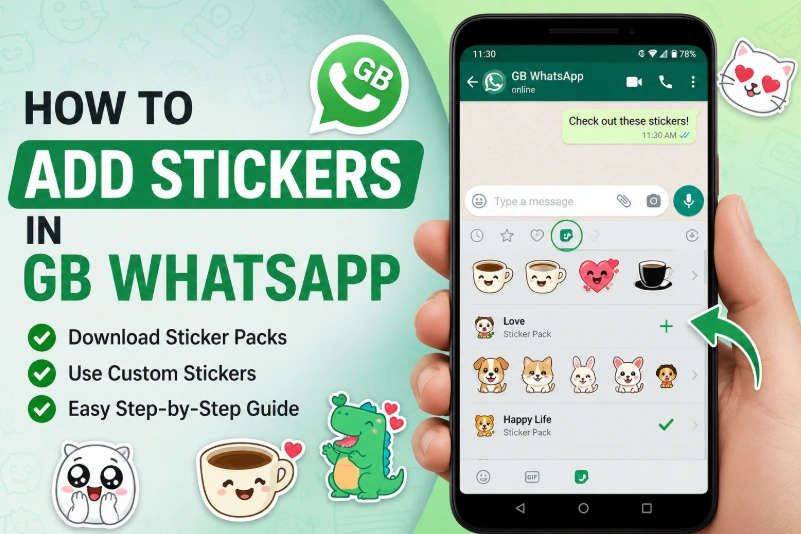
Stickers make conversations more fun and expressive. In GB WhatsApp, you can use built-in sticker packs, download additional packs, or even create your own custom stickers. If you're new to GB WhatsApp, adding stickers only takes a few simple steps.
This guide explains how to add stickers in GB WhatsApp, manage sticker packs, and solve common sticker-related problems.
Does GB WhatsApp Support Stickers?
Yes. GB WhatsApp supports most sticker features available in the official WhatsApp, including:
- Built-in sticker packs
- Third-party sticker packs
- Animated stickers (supported versions)
- Custom stickers
- Favorite stickers
The available features may vary depending on the version of GB WhatsApp you are using.
How to Add Built-in Stickers
To use the stickers already included in GB WhatsApp:
- Open any chat.
- Tap the Emoji icon beside the message box.
- Select the Sticker tab.
- Browse the available sticker packs.
- Tap a sticker to send it instantly.
How to Download More Sticker Packs
If you want more stickers:
- Open the sticker panel.
- Tap the + (Add) icon.
- Browse available sticker packs.
- Tap Download beside the pack you like.
- Wait for the download to finish.
The new sticker pack will appear in your sticker collection.
How to Add Custom Stickers
You can also use custom stickers created from your own photos.
Steps:
- Install a sticker creation app from a trusted source.
- Create your sticker pack.
- Save the stickers.
- Export them to GB WhatsApp.
- Open GB WhatsApp to access your new sticker pack.
Custom stickers are a popular way to personalize chats.
How to Organize Your Favorite Stickers
To quickly access stickers you use often:
- Long-press a sticker.
- Tap Add to Favorites (if available).
- Open the Favorites section whenever you want to use it again.
This saves time during conversations.
Why Can't I See New Stickers?
If new stickers do not appear:
- Restart GB WhatsApp.
- Check whether the sticker pack finished downloading.
- Update to the latest GB WhatsApp version.
- Make sure your internet connection is stable.
Most sticker issues can be fixed by updating the app or downloading the sticker pack again.
Can I Use Animated Stickers?
Yes, many recent GB WhatsApp versions support animated stickers.
If animated stickers are not working:
- Update to the latest version.
- Check that the sticker pack supports animation.
- Restart the app after installation.
Tips for Using Stickers
To improve your sticker experience:
- Download sticker packs from trusted sources.
- Keep GB WhatsApp updated.
- Remove sticker packs you no longer use.
- Back up your chats before updating the app.
Frequently Asked Questions
Can I use the same stickers as official WhatsApp?
Yes. Most sticker packs are compatible with both GB WhatsApp and the official WhatsApp.
How do I create my own stickers?
Use a sticker maker app to create custom stickers and export them to GB WhatsApp.
Why are my stickers missing after an update?
This may happen if the sticker data was not backed up. Reinstall the sticker pack or restore your backup if available.
Can I send stickers to people using official WhatsApp?
Yes. Recipients using the official WhatsApp can usually view stickers sent from GB WhatsApp without any issues.